
Itemised line items
List services, products or materials with quantities, units and rates, in the currency you work in.
Build an itemised quote, share it as one link, and let your client choose the options, accept and sign in the same place.
Create your first quote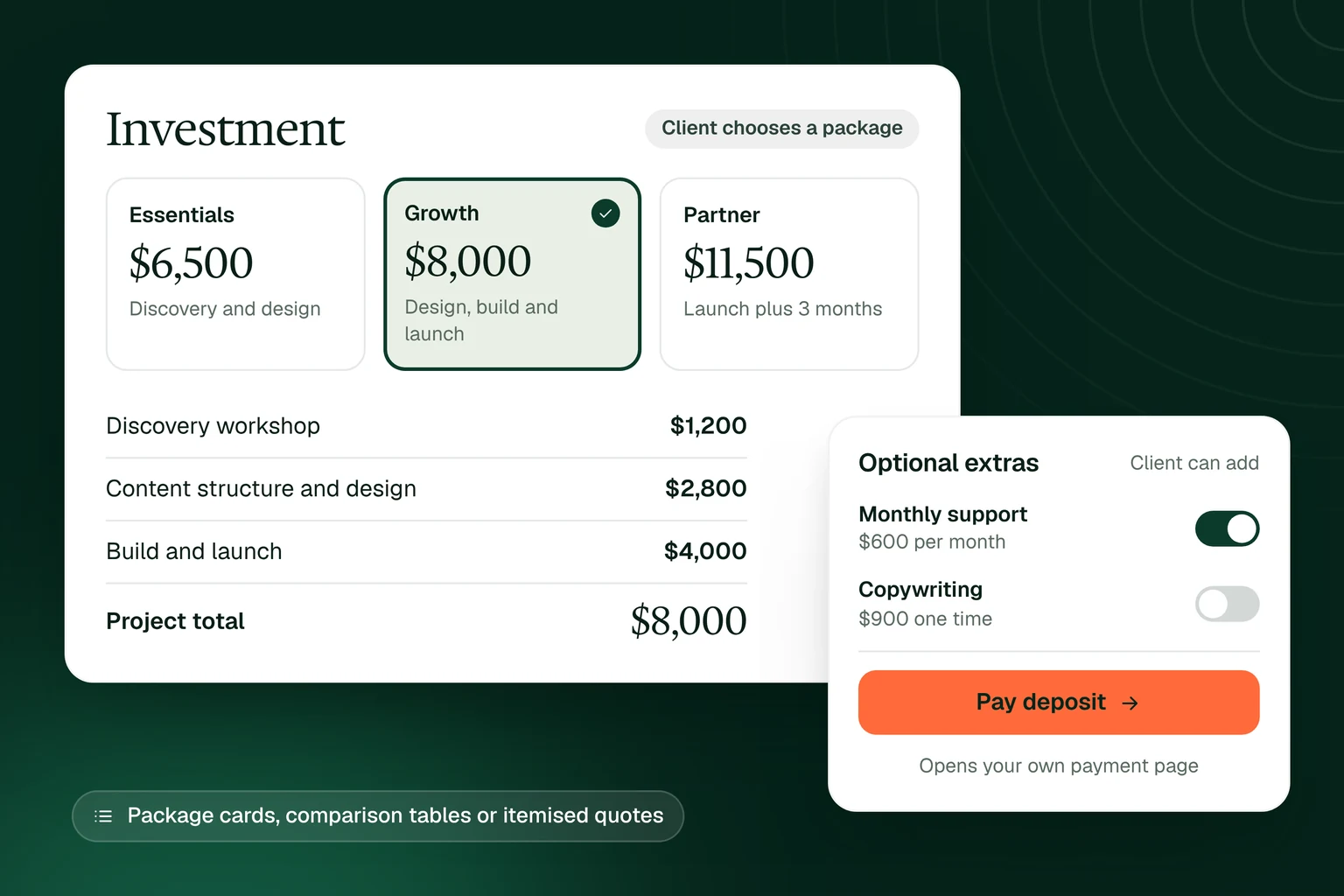
Propovo is quoting software for agencies, consultants, freelancers and trades that price their own work. Instead of a spreadsheet saved as a PDF, your client gets a branded link with the line items, quantities and rates, the packages you offer, the total, your payment terms and a clear way to accept.
You decide what the client can change. They can choose a package, add optional extras and adjust quantities within the limits you set, and the total updates as they go. The selection they accept is saved with that version of the quote. Status, views and comments for every quote sit in one workspace, so quote management no longer lives in a spreadsheet.
List services, products or materials with quantities, units and rates, in the currency you work in.
Offer two or three packages side by side, price one-off work or monthly and yearly retainers, and mark the one you recommend.
Let the client pick a package, add optional extras and change quantities within your limits. The total updates as they choose.
Save your services, products and packages with their rates and scope once, then insert them into any quote.
The client accepts and signs where they read the quote, with a typed or drawn signature. Attach a contract to sign in the same step.
See when a quote is viewed, keep client questions beside it, and see which quotes are still waiting on a reply.
Pick a quote template, insert services from your saved list, or describe the job and let AI draft the quote from the scope and rates you supply.
Check quantities, rates and payment terms, then decide what the client may change: the package, optional extras, quantities or billing period.
Send the quote by email from Propovo or your connected inbox, or copy the link. Set an expiry date if the price only holds for a while, and download a PDF when someone needs a file.
The client accepts and signs in the same link, and you see the selection they accepted. A package button can open your own payment page for a deposit.
Itemised services with options and payment terms.
Consulting work priced by phase or by day.
A product or service quote for a sales team.
Labour, materials and stages for a building job.
Garden and landscaping work with materials listed.
Every quote template in one place, with what a good quote includes.
Quoting software helps you build price quotes from line items, send them to clients and see the answer. In Propovo a quote is a branded link the client can open on any device, adjust within the options you allow, then accept and sign.
Yes, when you allow it. Turn on buyer-selectable packages and the client can pick a package, add optional extras and change quantities between the limits you set. The total updates as they choose, and the selection they accept is saved with that version of the quote.
Yes. The client accepts and signs in the same link, with a typed or drawn signature and any consent fields you add. They do not need a Propovo account or a paid seat. If the work needs terms, attach a contract to sign at the same time.
No. A package button can open the payment link from your own provider, for example to pay a deposit. The payment happens on your provider’s page, not in Propovo.
Yes. Download a PDF of the quote for email attachments or your records. The web link keeps the client’s choices, comments and acceptance, which a PDF cannot.
Yes. Premium is free for 14 days without a card. It includes quotes, proposals, contracts, client rooms and e-signatures in one plan.