
Your list, your way
Paste websites or names, bring in a CSV or move companies from your To pitch list.
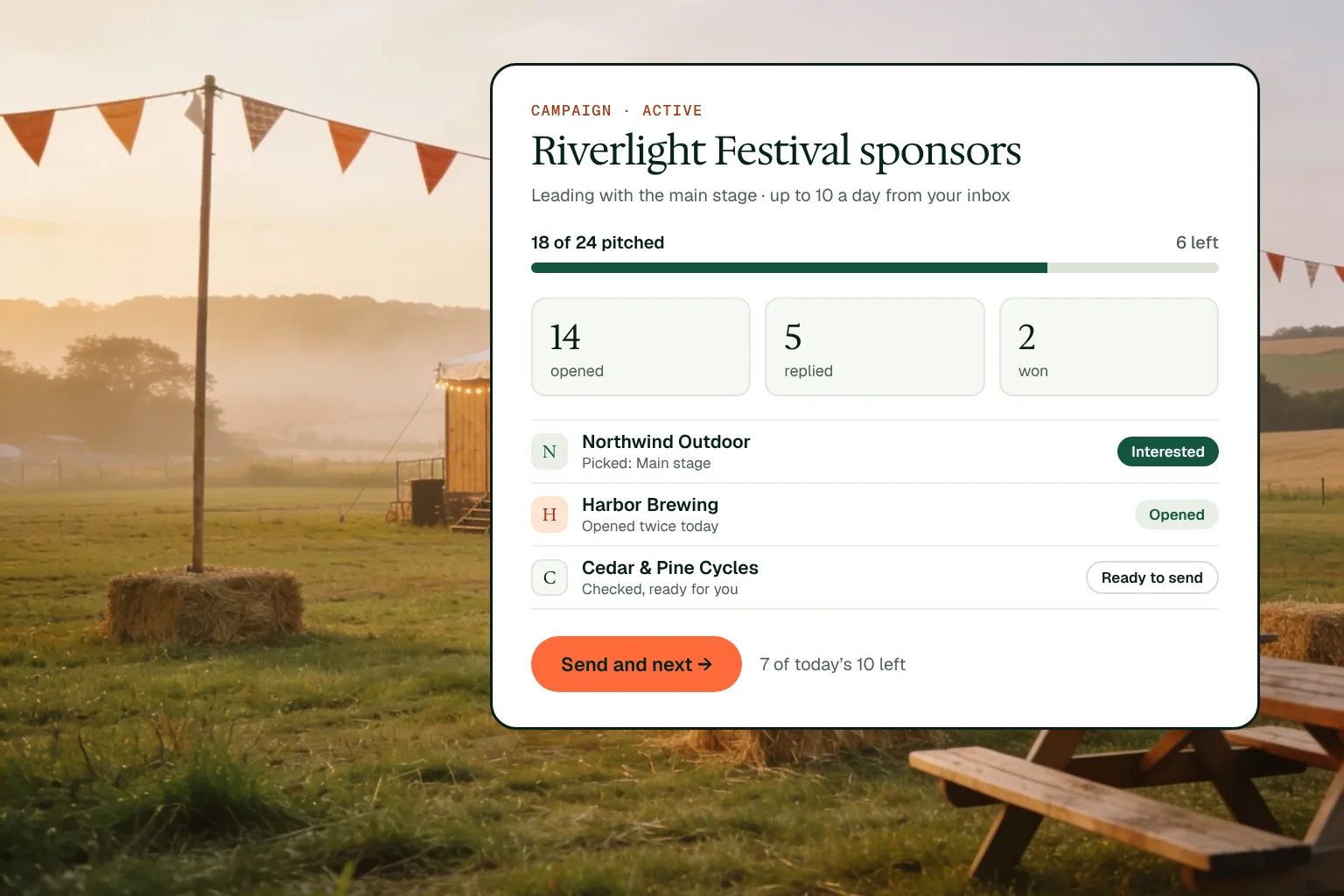
A campaign pitches a list of companies with one angle. Add the companies, pick the service to lead with and write your note once. Propovo drafts each pitch from that company’s own website, a few ahead of you, and you check and send them one at a time from your inbox, up to the daily limit you set.
Paste websites or names, bring in a CSV or move companies from your To pitch list.
Lead with one of your services; each company gets ideas and prices that fit it.
The next pitches are ready before you get to them, each written from that company's site.
Check a pitch, send it from your inbox and move on, up to your daily limit.
Add the companies, with a reason for each if you have one.
Pick the service to lead with and write your note.
Choose the sending inbox and how many to send a day.
Check, send and move to the next, and answer replies as they come in.
Up to 10 a day by default, so each send still gets a real look.
Opens, replies and wins per campaign, and which angle gets the most replies.
Every pitch is checked and sent by you.
A festival wants sponsors for next summer. It adds 24 outdoor and drinks brands, leads with the main stage and sets 10 a day. Each morning the next pitches are ready, each written from that brand’s own site. By the end of the second week 18 have gone out, 14 have been opened and 5 brands have replied.
Paste a website or name per line with an optional email and reason, bring in a CSV, or move companies from your To pitch list. Repeats are dropped.
Rewrite the note, swap an idea or open the pitch in the editor. Nothing is sent until you press Send.
Once enough pitches are out, Propovo shows which lead idea gets the most replies, so you can use it in your next campaign.
Send by email from your inbox, or copy the message into LinkedIn or WhatsApp and mark it sent.
Up to 200. It sends up to 10 a day by default, and you can set your own limit up to 20.
No. Propovo drafts them ahead of you; you check each one and send it.
The email account you choose for the campaign, such as your connected Gmail or Outlook. Without one, it uses Propovo’s email.
Yes. Each campaign shows how many companies were pitched, opened, replied and won, and which ones need you.
Yes. Every Propovo feature is on Premium, $24 per seat a month billed annually, after a 14-day free trial with no card. Pitching stays free on the Free plan.