
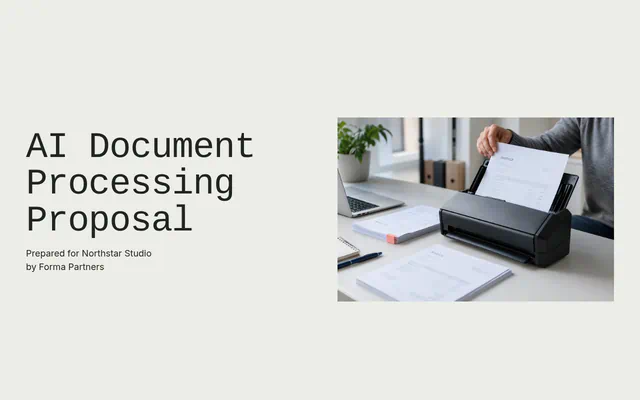
AI Document Processing Proposal
AI invoice processing proposal with field checks, a clerk review screen, an eight-week timeline and three one-time options.
Start free. No card required.
Make this template yours
A clear structure
A starting point for the scope, pricing and next steps you want to share
Ready to edit
Keep useful pages and replace the content with your client details
Your brand
Choose the colors, fonts and imagery that fit your business
About this template
An AI document processing proposal replaces manual data entry, such as keying supplier invoices into an ERP, with a pipeline that reads each document, checks it and drafts the entry for a person to approve. This template is written for a distributor’s payables team on NetSuite and offers three one-time options.
Who this template is for
AI and document automation agencies working with finance teams that key supplier invoices, purchase orders or credit notes by hand. It suits fixed-fee builds with a measured evaluation before go-live.
What a buyer needs to see
Use numbers from the client’s own records: documents a month and the time each takes. Show the fields read, how each is checked and why some documents still go to a clerk, then cover scope, data handling, failures and running costs.
How to price document automation
Price it as a fixed project with options by scope, such as invoices only, invoices with purchase-order matching, and credit notes as well. Stage payments around acceptance, the evaluation and go-live, and offer monthly tuning as an extra.
Before you send it
- Sample real documents
- Run a sample of the client’s own documents to estimate how many will need a person, and say so.
- List the fields and checks
- Agree each field the pipeline reads and the rule that checks it before anything is drafted.
- Estimate running costs
- Work out the monthly model and hosting cost at the client’s volume.
- Use a real result
- Replace the similar client’s results with your own, with permission, or remove them.
Who it’s for
- AI and document automation agencies
- Finance teams keying supplier invoices into an ERP
- Fixed-fee pipelines with a measured pilot
What makes it work
- Sourced numbers from the client’s NetSuite records
- Field table with how each field is checked
- Why invoices go to a clerk, from a 400-invoice sample
- Scope, data, failures and running costs in tabs
- Three one-time options, with monthly tuning as an extra
Time to customise: about 20–30 minutes.
What’s in the AI Document Processing Proposal
10 parts, in the order your client reads them. Every part is editable: keep what fits the job, rewrite the rest and add your own.
Introduction
Your three accounts payable clerks key about 3,800 supplier invoices a month into NetSuite, from 220 suppliers in as many layouts.
Your situation
From your NetSuite records for July to September and two days with your clerks.
Our recommendation
The pipeline does the reading and checking. Your clerks make every decision that needs judgement.
What we read and check
Covers: A clerk reviews an invoice when
Scope and controls
Reading supplier invoices from the inbox and scanner folder
Your team and a similar client
Covers: Results for a similar client
Timeline
We collect 400 recent invoices from your top 60 suppliers and label the right answer for each field with your clerks.
Options and fees
Three options. We recommend Invoices and PO matching.
Questions
We measure it on 100 of your own invoices held back from the build, field by field, before you decide to go live.
Next steps
Pick an option and any extras, then accept on this page.
Frequently Asked Questions
What is AI document processing?
Software that reads documents such as invoices, extracts the fields, checks them against rules or records and drafts the entry for a person to approve.
How accurate is AI invoice processing?
It depends on the documents and the checks. Measure it on a sample of the client’s own invoices before go-live, and send anything uncertain to a person.
Does AI invoice processing work with an ERP?
Usually through the ERP’s API or import tools. Confirm access and the posting rules for the client’s system, such as NetSuite, before quoting.
Which documents still need a person?
Those that fail a check, such as a price that doesn’t match the purchase order, unreadable scans and new suppliers. The pipeline queues them for a clerk.
What does the AI Document Processing Proposal template include?
10 editable parts, in this order: Introduction, Your situation, Our recommendation, What we read and check, Scope and controls, Your team and a similar client, Timeline, Options and fees, Questions and Next steps. Keep the parts that fit the job, rewrite the rest and add your own.
How is pricing set out in the AI Document Processing Proposal template?
As three one-time options the client can choose between: Invoices ($8,500), Invoices and PO matching ($12,500, recommended) and Invoices, matching and credit notes ($16,800). Payment terms: 30% on acceptance, 40% at the evaluation, 30% at go-live. The prices are examples; replace them with your own before you send it.
How long does it take to customise?
Plan on about 20–30 minutes to replace the sample client, scope, dates and prices with your own, then preview it as your client will see it.
How do I send it to my client?
Share it as one link your client can read on any device, comment on, accept and e-sign, or export a PDF for your records.





Ready to make it yours?
Add your scope, pricing and brand. Preview the client experience before sharing.