
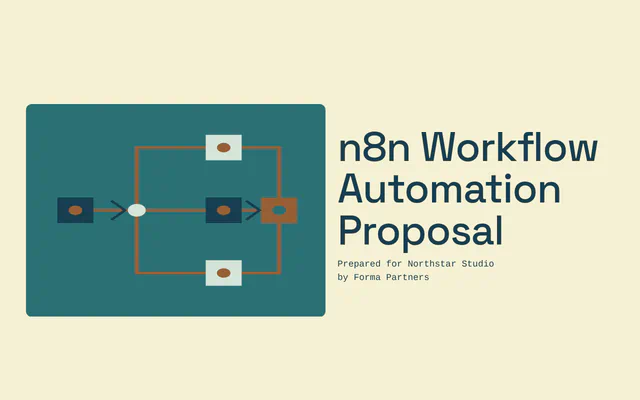
n8n Workflow Automation Proposal
n8n proposal with three self-hosted workflows, human checks on each, a six-week timeline and three one-time options.
Start free. No card required.
Make this template yours
A clear structure
A starting point for the scope, pricing and next steps you want to share
Ready to edit
Keep useful pages and replace the content with your client details
Your brand
Choose the colors, fonts and imagery that fit your business
About this template
An n8n workflow automation proposal explains which manual jobs you will automate, what starts each workflow and who checks it, where it runs and what it costs to build and keep running. This template is written for a property management company keying invoices and move-ins by hand, and offers three one-time options with monthly care as an extra.
Who this template is for
n8n consultants and automation agencies proposing to operations, finance and property teams that want their data on their own server. It suits fixed-fee builds of a few clearly defined workflows, where fixed rules do most of the work and AI is used only where it is needed, such as reading PDFs.
What to show for each workflow
For each workflow, say what starts it, what it does and who checks the result before anything is final. A table of trigger, action and reviewer makes it easy for the client to see that people stay in control.
Explain hosting and access plainly: n8n on a server in the client’s own cloud account, each workflow with its own narrowly scoped API key, and what happens when a run fails, such as stopping before it writes anything and alerting the team.
How to price n8n automation
Price the build as a one-time project with options by the number of workflows, and split payment between acceptance and handover. A period running side by side with the current process before switching over is worth including in the recommended option.
List running costs separately: the server and any AI usage, billed to the client. The self-hosted n8n edition has no licence fee for internal use; check the current n8n licence terms for the client’s situation. Offer monthly care for updates, backups and fixes as an extra.
Before you send it
- Use the client’s records
- Replace the sample hours and error rates with figures from the client’s own logs and corrections.
- Collect a test set
- Agree a set of past documents to test the matching rules against before going live.
- Check the APIs
- Confirm the client’s systems allow the actions each workflow needs.
- Name who runs it
- Say who keeps the workflows running after handover: the client’s team with a runbook, or you through monthly care.
Who it’s for
- n8n and automation agencies
- Property, finance and operations teams that want data on their own server
- Fixed-fee workflow builds
What makes it work
- Sourced numbers from the client’s own records
- Three workflows: trigger, action and who checks
- Self-hosting, access, failures and running costs
- A six-week timeline with a side-by-side run
- Three one-time options, with monthly care as an extra
Time to customise: about 20–30 minutes.
What’s in the n8n Workflow Automation Proposal
9 parts, in the order your client reads them. Every part is editable: keep what fits the job, rewrite the rest and add your own.
Introduction
You manage 2,300 units across 41 buildings. Each month your team keys about 640 contractor invoices into Buildium and sets up about 180 move-ins by hand.
Your situation
From six months of your Buildium records and a day with your accounts and leasing teams.
What we will build
What starts each one, what it does and who checks it.
Covers: Also included
Hosting, access and costs
n8n runs on a small server in your AWS account. Tenant and contractor data never passes through our systems.
Timeline
We sit with your clerk and leasing coordinator, collect 100 past invoices and agree the matching rules.
Your team and a similar client
Covers: Results for a similar client
Options and fees
Three options. We recommend Invoices and move-ins.
Questions
You want tenant data kept on your own server, and at 800 runs a month a hosted plan costs more each year.
Next steps
Pick an option and any extras, then accept on this page.
Frequently Asked Questions
Why choose n8n over Zapier or Make?
n8n can run on the client’s own server, which keeps their data in their systems, and at high run volumes self-hosting can cost less than a hosted plan. Every step stays readable to their team.
What should an n8n automation proposal include?
The time and errors today, each workflow’s trigger, action and reviewer, hosting, access and failure handling, running costs, a timeline with a side-by-side run, exclusions and price options.
What happens when a workflow fails?
Design it to stop before writing anything, retry, then alert the team with the reason so they can finish the task by hand. Describe this in the proposal.
Who maintains the workflows after handover?
Either the client’s team, trained and with a runbook, or you through a monthly care plan for updates, backups and fixes. Make the choice explicit.
What does the n8n Workflow Automation Proposal template include?
9 editable parts, in this order: Introduction, Your situation, What we will build, Hosting, access and costs, Timeline, Your team and a similar client, Options and fees, Questions and Next steps. Keep the parts that fit the job, rewrite the rest and add your own.
How is pricing set out in the n8n Workflow Automation Proposal template?
As three one-time options the client can choose between: Invoices ($4,800), Invoices and move-ins ($7,600, recommended) and All three workflows ($9,900). Payment terms: 50% on acceptance, 50% at handover. The prices are examples; replace them with your own before you send it.
How long does it take to customise?
Plan on about 20–30 minutes to replace the sample client, scope, dates and prices with your own, then preview it as your client will see it.
How do I send it to my client?
Share it as one link your client can read on any device, comment on, accept and e-sign, or export a PDF for your records.





Ready to make it yours?
Add your scope, pricing and brand. Preview the client experience before sharing.