
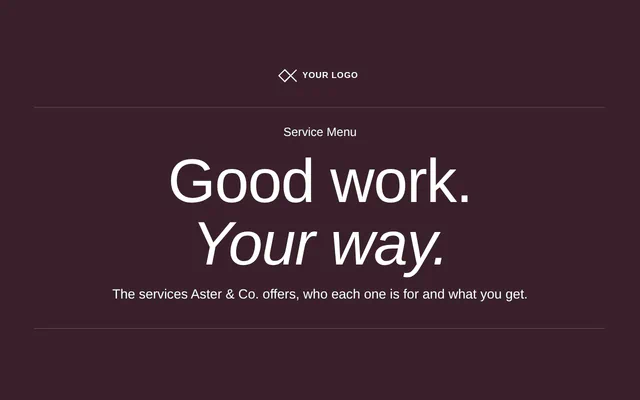
Service Menu
Make this service menu your own with editable content, pricing and branding.
Start free. No card required.
Make this template yours
A clear structure
A starting point for the scope, pricing and next steps you want to share
Ready to edit
Keep useful pages and replace the content with your client details
Your brand
Choose the colors, fonts and imagery that fit your business
About this template
A service menu helps a client choose what to buy from a firm with standard services: where to start, what each service delivers, how long it takes and how pricing works. This template covers three starting points, five services in one table, add-ons, the pricing basis and how to ask for a quote.
Who this template is for
Consultancies and studios with standard services, sending a menu after a first call or to existing clients deciding what to buy next. It suits buyers who know they need help but not which service fits.
How to write a service menu
Help the client find a starting point first, by the problem they have or the stage they are at, then show each service with what they get and how long it takes, in one table they can compare. Add-ons let a client extend a service without a new proposal.
Explain how pricing works, such as fixed fees, day rates or monthly plans, even if exact prices come in a quote. End with how to ask for one and what you need to know to prepare it.
Before you send it
- Keep the menu short
- Show the services this client is likely to need, rather than everything you offer.
- Check the durations
- Make sure the timings match how long the work really takes.
- Say what a quote needs
- List the information you need from the client to send an accurate quote.
Who it’s for
- Consultancies and studios with standard services
- Sending after a first call
- Existing clients choosing what to buy next
What makes it work
- The good work edition composition
- Three starting points
- Five services in one table
- Add-ons and pricing basis
Time to customise: about 10–15 minutes.
What’s in the Service Menu
5 parts, in the order your client reads them. Every part is editable: keep what fits the job, rewrite the rest and add your own.
Where to start
Most clients are in one of three positions.
Services
Add-ons
A further half-day session for a second team or site.
How pricing works
Workshops, Reviews, Projects and Training have a fixed fee, quoted in writing before work starts.
Covers: Fixed fees, Monthly fees
Ask for a quote
Tell us which service you are considering and when you would like to start. You will have a written quote within two working days.
Frequently Asked Questions
What is a service menu?
A short document that lists a firm’s standard services, what each one delivers and how long it takes, so a client can choose before asking for a quote.
How is a service menu different from a price list?
A service menu helps the client choose, with starting points and what each service delivers. A price list focuses on prices. Many menus explain how pricing works and leave exact prices for the quote.
How many services should a service menu include?
Few enough to compare at a glance, often between three and seven, with add-ons for smaller extras.
When should you send a service menu?
After a first call, when a client asks what you offer, or to an existing client choosing what to buy next.
What does the Service Menu template include?
5 editable parts, in this order: Where to start, Services, Add-ons, How pricing works and Ask for a quote. Keep the parts that fit the job, rewrite the rest and add your own.
How long does it take to customise?
Plan on about 10–15 minutes to replace the sample client, figures and commentary with your own, then preview it as your client will see it.
How do I send it to my client?
Share it as a link your client can read and comment on, or export a PDF to attach to an email.

Ready to make it yours?
Add your scope, pricing and brand. Preview the client experience before sharing.