
Service Overview
Make this service overview your own with editable content, pricing and branding.
Start free. No card required.
Make this template yours
A clear structure
A starting point for the scope, pricing and next steps you want to share
Ready to edit
Keep useful pages and replace the content with your client details
Your brand
Choose the colors, fonts and imagery that fit your business
About this template
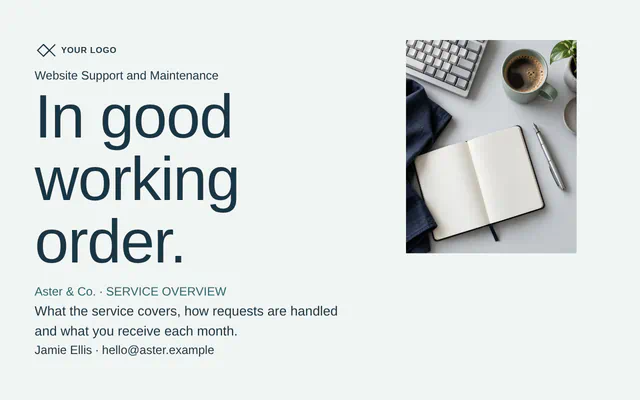
A service overview explains one ongoing service before a proposal: who it suits, what is and isn’t included, how requests are handled and what the monthly working relationship looks like. This template is written for a website support plan, and the same approach suits other retainers.
Who this template is for
Agencies and consultancies that sell a retainer or support plan and want clients to understand how it works before they see a price. It helps when clients are comparing support plans that look alike on paper.
How to write a service overview
Say who the service suits and who it doesn’t; a short not-the-right-fit list builds trust and saves time. Then list what is included and what is not, so there are no surprises later.
Explain how a request is handled from start to finish, the response times you commit to and how you report each month. Answer common questions and end with how to get started.
Before you send it
- Set clear limits
- Make sure the inclusions and exclusions match what you actually deliver.
- Commit to response times
- State response and resolution times you can keep.
- Follow with a proposal
- Send a proposal that prices the plan once the client is interested.
Who it’s for
- Retainers and support plans
- Explaining one service before a proposal
- Agencies and consultancies with a monthly service
What makes it work
- Your everyday partner composition
- Good fit and not-the-right-fit lists
- Included and not-included checklist
- Four-step request process
- Working relationship table
Time to customise: about 10–15 minutes.
What’s in the Service Overview
7 parts, in the order your client reads them. Every part is editable: keep what fits the job, rewrite the rest and add your own.
Who it is for
For companies whose website matters to the business and who have no developer of their own.
Covers: A good fit if, Not the right service if
What is included
Everything the monthly fee covers, and what it does not.
How a request is handled
The same four steps whether it is a typing error or a broken checkout.
The working relationship
What you can rely on
Unused hours carry over for one month. If a request would take you over, we tell you before we start.
Questions
Monitoring alerts us within minutes. Outages are dealt with at once and do not count against your monthly hours.
Getting started
Three steps, usually completed inside two weeks.
Frequently Asked Questions
What is a service overview?
A document that explains one service: who it is for, what is included, how it works, what the client can rely on and how to start.
What should a support plan overview include?
Who it suits, what is and isn’t included, how requests are handled, response times, the monthly working relationship, common questions and how to start.
Why include a not-the-right-fit list?
It shows you understand what the service is for, filters out clients it wouldn’t suit and gives the rest more confidence that it fits them.
Should a service overview include prices?
It can, but many businesses keep prices for the proposal so the overview stays accurate as plans change.
What does the Service Overview template include?
7 editable parts, in this order: Who it is for, What is included, How a request is handled, The working relationship, What you can rely on, Questions and Getting started. Keep the parts that fit the job, rewrite the rest and add your own.
How long does it take to customise?
Plan on about 10–15 minutes to replace the sample client, figures and commentary with your own, then preview it as your client will see it.
How do I send it to my client?
Share it as a link your client can read and comment on, or export a PDF to attach to an email.





Ready to make it yours?
Add your scope, pricing and brand. Preview the client experience before sharing.