
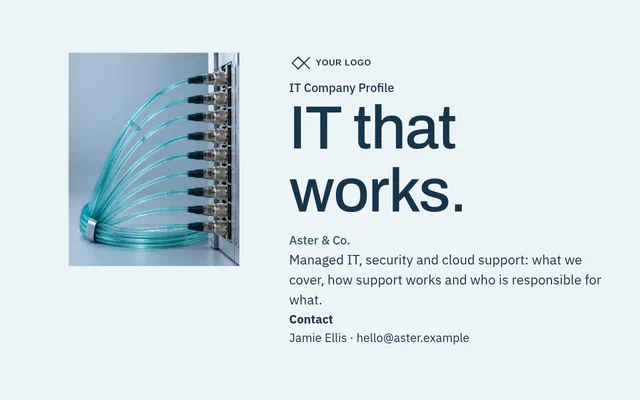
IT Company Profile
Make this it company profile your own with editable content, pricing and branding.
Start free. No card required.
Make this template yours
A clear structure
A starting point for the scope, pricing and next steps you want to share
Ready to edit
Keep useful pages and replace the content with your client details
Your brand
Choose the colors, fonts and imagery that fit your business
About this template
An IT company profile introduces a managed IT provider to the operations and finance leaders who choose one: what you support, who is responsible for security, how support works and how a new client is onboarded. This template covers your services, a security responsibility table, a four-step support process, a four-week onboarding plan, a client example and an IT review as the next step.
Who this template is for
Managed IT service providers and IT consultancies introducing themselves to operations managers, finance leads and owners of small and mid-sized businesses. It suits buyers who are replacing a provider or getting outside IT support for the first time.
How to write an IT company profile
Say which environments you support, such as Microsoft 365, Google Workspace and Mac and Windows devices, and describe your services in words a non-technical reader understands. Security is the main worry, so show clearly what you are responsible for and what stays with the client.
Explain how staff get help, how quickly you respond and how issues are escalated, then show what the first weeks look like when a client switches to you. A client example and a free IT review make the next step easy.
Before you send it
- Check the responsibility table
- Make sure it matches your contracts, especially for backups and security incidents.
- State real response times
- Give the response times you commit to in your service agreement.
- Use a real client
- Replace the sample example with a client who agreed to be named, or describe them without a name.
Who it’s for
- Managed IT service providers
- IT consultancies
- Introductions to operations and finance leads
What makes it work
- Precision and care composition
- Services in tabs
- Security responsibility table
- Four-step support process
- Four-week onboarding timeline
Time to customise: about 15–20 minutes.
What’s in the IT Company Profile
9 parts, in the order your client reads them. Every part is editable: keep what fits the job, rewrite the rest and add your own.
Who we are
We run the service desk, keep devices and accounts secure, manage cloud systems and plan upgrades.
What we support
Four areas cover most of what a company of your size runs.
Services
Most clients take managed support and add security or project work when they need it.
Covers: A service desk for your staff, Protection that is checked, not assumed, Changes planned and delivered
Who is responsible for what
Security works when both sides know their part. This is how it is divided.
How we work
Every request gets an owner and a response time when it is logged, and stays with that owner until it is closed.
How support works
Your staff contact the service desk. The request is logged with a priority and an owner.
Getting started
Moving to a new IT provider takes about four weeks.
Client example
One client we support, and what they said.
Ask for an IT review
A review takes about two hours on site and gives you a written list of risks and costs, whether or not you choose us.
Frequently Asked Questions
What does a managed IT service provider do?
Looks after a company’s IT for a monthly fee: support for staff, devices and accounts, security, backups, updates and advice on IT plans.
Who is responsible for security with a managed IT provider?
Both sides. The provider usually manages tools, updates and monitoring; the client is responsible for its people, policies and decisions. A responsibility table makes this clear.
How long does it take to switch IT provider?
Often a few weeks: an audit, access and documentation from the old provider, setting up tools and monitoring, and introducing the support process to staff.
What is an IT review?
A short assessment of a company’s devices, accounts, security and backups, which ends in a list of risks and recommendations. It is a common first step before a managed service.
What does the IT Company Profile template include?
9 editable parts, in this order: Who we are, What we support, Services, Who is responsible for what, How we work, How support works, Getting started, Client example and Ask for an IT review. Keep the parts that fit the job, rewrite the rest and add your own.
How long does it take to customise?
Plan on about 15–20 minutes to replace the sample client, figures and commentary with your own, then preview it as your client will see it.
How do I send it to my client?
Share it as a link your client can read and comment on, or export a PDF to attach to an email.




Ready to make it yours?
Add your scope, pricing and brand. Preview the client experience before sharing.